The Truth About Employee Monitoring in 2026 Work Culture
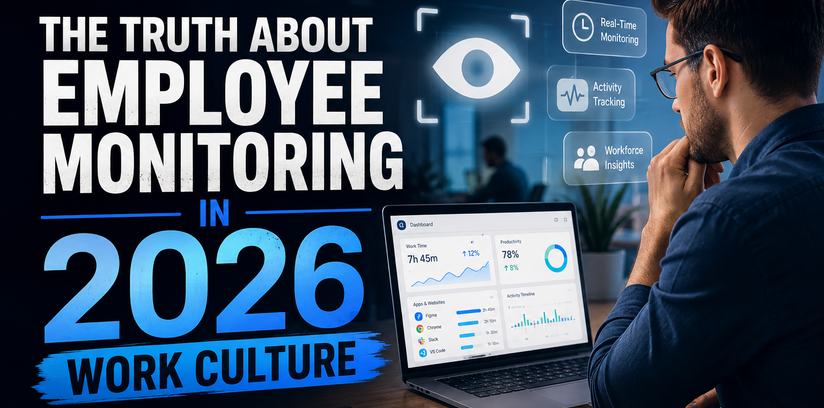
The way we work has changed forever. Remote teams, hybrid schedules, and global hiring are now part of daily business life. With this shift, Employee Monitoring software has moved from a “nice to have” into a true business essential.
But there is still a lot of confusion around it. Some people think it is spying. Others believe it is the only way to keep teams productive. The truth sits somewhere in the middle. In 2026, smart companies are using these tools to build trust, not break it.
In this blog, we will clear the air. You will learn what Employee Monitoring software really does, why modern workplaces need it, and how to use it the right way.
What Is Employee Monitoring Software, Really?
Before we go deeper, let us define it in simple words.
Employee Monitoring software is a digital tool that tracks how teams use their work hours. It records activity on apps, websites, and tasks. It helps managers see what is working and what is slowing the team down.
Here is what modern tools usually offer:
- Time tracking and attendance logs
- Screen activity and app usage reports
- Productivity scores based on real data
- Insider threat and data leak alerts
- Project based time and cost tracking
It is not about watching every move. It is about seeing the bigger picture of how work gets done.
Why 2026 Work Culture Needs Monitoring Tools
Work in 2026 looks nothing like it did five years ago. Offices are smaller, teams are spread across cities and countries, and trust has to travel through screens.
According to a recent Gartner report, more than 70 percent of large employers now use some form of Employee Monitoring software to manage hybrid teams. That number was just 30 percent before 2020.
Here is why this shift makes sense:
- Remote and hybrid work makes face to face check ins almost impossible
- Companies need real data to plan budgets and projects
- Data security threats are rising, and insider risks are a top concern
- Employees want fair workloads and recognition based on real effort
- Compliance laws around working hours and overtime are getting stricter
In short, modern teams need modern tools. A guessing game will not cut it anymore.
The Real Benefits for Employers
Let us break down what business leaders actually gain from using Employee Monitoring software.
1. Clear visibility into remote teams: You can see who is active, who is stuck, and who needs support, without sending another “any updates” message.
2. Smarter resource planning: Time and task data helps you spot overworked staff and underused team members. You can then balance the workload.
3. Better project costing: When you know exactly how long tasks take, your future quotes and deadlines become far more accurate.
4. Stronger data security: Modern tools flag risky behavior, like file transfers to personal drives or use of shady websites, before damage happens.
5. Higher productivity, lower burnout: Studies from the American Productivity and Quality Center show that teams with structured tracking are up to 20 percent more efficient. Less wasted time also means less stress.
Busting Common Myths
There is a lot of noise online about monitoring tools. Let us clear up the biggest myths.
- Myth 1: It is just spying. Modern tools focus on patterns and productivity, not on reading personal chats.
- Myth 2: It hurts morale. When used with clear rules, it actually boosts trust because work gets judged on real output.
- Myth 3: Only big companies need it. Small teams and startups gain even more, because every hour counts.
- Myth 4: It is illegal. In most countries, including the US, UK, and most of Europe, monitoring is legal as long as employees are informed.
The key is transparency. Tell your team what is being tracked and why. That single step changes everything.
Why EmpMonitor Stands Out in 2026
If you want a tool built for modern work culture, EmpMonitor is one of the strongest options in the market today.
EmpMonitor gives employers a full view of productivity, attendance, and security in one clean dashboard. It tracks active hours, idle time, app and website use, and even sends real time alerts for risky behavior. Whether you run a small remote team or manage hundreds of staff across offices, EmpMonitor scales with you. It is one of the few Employee Monitoring software platforms that balances deep insights with a simple, easy to use interface, making it a top pick for growing businesses in 2026.
If you are looking to cut wasted hours, protect company data, and reward your best performers fairly, EmpMonitor is built to do exactly that.
How to Use Employee Monitoring Software the Right Way
Buying a tool is the easy part. Using it well is what brings real results. Here are the best practices smart employers follow in 2026.
- Be open with your team. Share what the tool tracks before you switch it on.
- Focus on patterns, not single days. Everyone has slow days. Look at trends over weeks.
- Use data to coach, not punish. Treat reports as a way to support staff, not catch them.
- Set fair productivity goals. Make sure benchmarks match the role and the workload.
- Review and refine often. Your team and projects change, so your tracking setup should too.
When you follow these steps, Employee Monitoring software becomes a growth tool, not a stress tool.
Key Features to Look For
Not all platforms are equal. When you compare options, check for these must have features in any Employee Monitoring software:
- Automatic time and attendance tracking
- Detailed app and website reports
- Screenshot or screen recording options that you can switch on or off
- Productivity scoring and idle time alerts
- Insider threat and data loss prevention
- Easy reports for payroll and client billing
- Strong privacy controls and role based access
A good tool should give you answers in seconds, not force you to dig through endless data.
The Future of Work and Monitoring
Looking ahead, Employee Monitoring software will only get smarter. AI is already helping platforms spot burnout signals, predict project delays, and suggest workload changes before problems hit.
In the next few years, expect tools that:
- Use AI to give personal productivity coaching
- Connect with HR, payroll, and project tools out of the box
- Offer privacy first modes that protect personal data
- Give employees their own dashboards to track personal growth
The future is not about more surveillance. It is about better signals, better decisions, and healthier teams.
Final Thoughts
The truth about Employee Monitoring software in 2026 is simple. It is no longer a tool of control. It is a tool of clarity. Used well, it helps employers run lean teams, protect company data, and reward real effort. Used poorly, it creates fear and pushes good people away.
The choice is yours as a leader. Pick a platform like EmpMonitor, set clear rules, talk openly with your team, and watch your numbers and your culture improve at the same time.
Work culture in 2026 rewards businesses that are smart, fair, and data driven. A reliable Employee Monitoring software is one of the easiest ways to become all three.
FAQs (From an Employer’s Perspective)
1. Is using Employee Monitoring software legal for my business? Yes, in most countries it is fully legal as long as you inform your employees in writing. A clear monitoring policy in your handbook or contract is usually enough to stay compliant.
2. Will monitoring tools hurt my team’s morale? Not if you are open about it. When employees know what is tracked and why, most see it as fair. Many even appreciate it because their real work finally gets noticed.
3. How does Employee Monitoring software actually save my company money? It cuts wasted hours, reduces overstaffing, improves project quotes, and prevents costly data leaks. Most employers see a clear return on investment within the first few months.
4. Can I monitor remote and in office staff with the same tool? Yes. Modern platforms like EmpMonitor work across remote, hybrid, and in office setups. You get one dashboard to manage every team member, no matter where they sit.
5. What should I do if an employee refuses to be monitored? Start with a clear conversation. Explain the business reasons, the privacy limits, and the benefits. Most concerns fade once people understand the tool tracks work patterns, not personal life. If issues remain, your HR policy and local labor laws will guide the next steps.